
ES-DE on Mac in 2026: How to Combine RetroArch, Dolphin, PCSX2 and Other Emulators into One Game Library
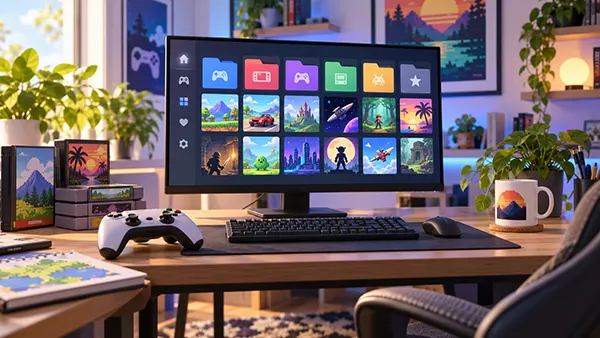
A Mac can run an impressive range of classic console and computer games, but the experience becomes awkward when every system has its own application, folders, artwork and controller routine. ES-DE solves the organisational side of that problem. As of September 2026, ES-DE 3.4.1 is the latest stable release, with dedicated macOS builds for Apple Silicon and Intel Macs. It does not replace RetroArch, Dolphin, PCSX2 or other emulators. Instead, it gives them a shared front end: one visual library where games can be sorted by system, enriched with covers and metadata, grouped into collections and launched through the emulator chosen for each machine. The result can feel much closer to a purpose-built games library than a folder full of separate applications, while still keeping each emulator available for its own settings, updates and compatibility options.
What ES-DE Actually Does on a Mac in 2026
ES-DE is best understood as the library layer that sits in front of the emulators already installed on the Mac. Its job is to scan organised game folders, present their contents in a consistent interface and send the selected game to the correct emulator. That separation is useful because no single emulator is ideal for every generation. RetroArch can cover a large number of older consoles and home computers through its cores, while Dolphin remains a strong standalone choice for GameCube and Wii, and PCSX2 focuses on PlayStation 2. ES-DE lets these applications coexist without forcing the user to browse several unrelated libraries. The same controller can be used to move through the ES-DE interface, select a system, choose a game and then hand control to the emulator that actually runs it.
The current macOS release also reflects how much the Mac hardware landscape has changed. ES-DE 3.4.1 is available as separate ARM64 and x64 disk images, so Apple Silicon owners no longer need to treat the front end as an Intel-only application. RetroArch provides a universal macOS build for Apple Silicon and Intel, while current Dolphin releases are distributed as universal ARM/Intel builds. PCSX2 also supports macOS, although its official requirements note that M-series Macs currently run PCSX2 through Rosetta 2. This mixture is one reason a front end is valuable: the library can stay visually consistent even when the applications behind it use different approaches to Mac compatibility.
It is also important to know what ES-DE does not do. It does not supply commercial games, console firmware or a complete set of emulators. It can create the expected ROM folder structure, read the files placed there, download supported game metadata and artwork, and launch compatible applications, but the user remains responsible for installing and configuring the emulators. That division keeps the setup flexible. An older 16-bit system can use a RetroArch core, GameCube can use Dolphin, PlayStation 2 can use PCSX2, and another system can use a different standalone emulator without changing the way the library looks. In practice, ES-DE becomes the entry point while the emulators remain specialised tools working behind the scenes.
Choosing the Right Emulator for Each Console
RetroArch makes the most sense as the broad foundation of an ES-DE collection. Its current stable release is 1.22.2, and the official macOS download supports both Apple Silicon and Intel in a universal build. Instead of installing a separate application for every older console, RetroArch uses downloadable cores that handle systems such as the NES, Super Nintendo, Mega Drive, Game Boy families and many arcade or computer formats. This keeps the number of separate applications manageable and gives older systems a relatively consistent set of menus, controller settings and save features. A good starting point is to install only the cores needed for the systems actually present in the library rather than filling RetroArch with dozens of alternatives that will never be used.
Dolphin is the more natural choice for Nintendo GameCube and Wii. The project moved to a release schedule that produces named builds every few months, and the latest 2026 releases include a universal macOS download for ARM and Intel Macs. Dolphin officially supports macOS 11 Big Sur and newer, so very old Macs need extra attention before the library is built around it. For ES-DE, the main advantage of using Dolphin as a standalone emulator is clarity: GameCube and Wii titles can share the same dedicated application, while Dolphin keeps its own controller profiles, graphics options and individual game settings. Once Dolphin is correctly configured on its own, ES-DE only needs to call it when a GameCube or Wii title is selected.
PCSX2 fills the same role for PlayStation 2. Version 2.8.0 arrived in August 2026, making it a current and actively maintained choice rather than a legacy utility left unchanged for years. Its official requirements list macOS 11 as the minimum supported Mac system and explain that Apple M-series machines use Rosetta 2. PCSX2 also requires a BIOS dumped from a legitimately owned PlayStation 2, so that step should be completed inside PCSX2 before ES-DE is expected to launch PS2 games reliably. The wider library can then be extended with other dedicated emulators where they make sense, such as PPSSPP for PSP or other supported applications for systems that benefit from their own specialised settings.
Setting Up a Clean ES-DE Library on macOS
The cleanest setup begins by installing ES-DE itself and allowing it to create the directory structure it expects. On macOS, ES-DE uses the user account for its application data and places its working files under the ES-DE folder in the home directory. The standard game directory is the ROMs folder in the same user area, and ES-DE can generate system-specific subfolders automatically. That is preferable to inventing folder names from memory because ES-DE expects recognised names such as those assigned to each supported system. Once those folders exist, game files can be copied into the appropriate locations. Keeping each console in its own folder gives ES-DE a predictable library and also makes manual maintenance much easier months later.
The next stage should happen outside ES-DE. Install RetroArch, Dolphin and PCSX2 from their official sources, open each one independently and make sure it can run a legitimate test game before trying to launch anything from the front end. In RetroArch, install the cores required for the older systems in the collection. In Dolphin, set up the controller and confirm that a GameCube or Wii dump opens correctly. In PCSX2, complete its first-run setup, provide the required BIOS from owned hardware and test a PS2 game. This order prevents ES-DE from becoming the place where unrelated emulator problems are diagnosed. If an emulator cannot run a game by itself, adding ES-DE will not fix that underlying issue.
Game files should then be organised with consistency rather than cleverness. Put GameCube files in the GameCube directory expected by ES-DE, Wii files in the Wii directory, PS2 files in the PS2 directory and older systems in their matching folders. Avoid mixing several consoles into one general folder because the front end decides how to display and launch content partly from the system directory it finds it in. Large libraries are easier to manage when filenames are stable and duplicate dumps are removed before artwork is downloaded. If a collection already exists in another location, ES-DE supports customisation of game locations, but a first-time setup is usually simpler when the default structure is used until every system is launching correctly.
Connecting RetroArch, Dolphin and PCSX2 to ES-DE
After the emulators and game folders are ready, start ES-DE again and let it read the library. If files were added while ES-DE was open, its rescan utility can refresh the ROM directory without requiring a full restart. For many classic systems, the default ES-DE configuration is designed around RetroArch cores. Systems with strong standalone emulators can instead be assigned through the Alternative Emulators settings. This is the useful part of the arrangement: the visible library does not change when the program behind a system changes. The Super Nintendo section can launch through RetroArch, GameCube and Wii can open in Dolphin, and PlayStation 2 can be directed to PCSX2, all from the same ES-DE interface.
ES-DE can also use a different emulator for one game without changing the choice for the entire system. That matters when a particular title behaves better with another core or standalone application. The per-game metadata editor includes an alternative emulator option, so the main system can keep its normal choice while an awkward title uses another supported route. This is far more practical than maintaining duplicate game lists. It also means the library can evolve gradually: start with sensible defaults, play the games that matter, and only create exceptions when there is a clear compatibility reason. A unified library should reduce maintenance, not turn every game into a separate configuration project.
On macOS, emulator detection is one area where simple checks are worth doing before editing configuration files. ES-DE uses defined rules to find supported applications, so an emulator stored in an unusual location or packaged under an unexpected application name may not be recognised automatically. First confirm that the emulator is in the Applications folder, that it opens normally and that the installed build matches the Mac architecture in use. On Apple Silicon, also avoid forcing an application to run through Rosetta unless that application actually requires it; PCSX2 is a notable current exception because its own documentation still specifies Rosetta 2 for M-series Macs. Keeping the normal application names and locations usually gives ES-DE the best chance of detecting them without manual work.
Turning the Setup into a Useful Living-Room Game Library
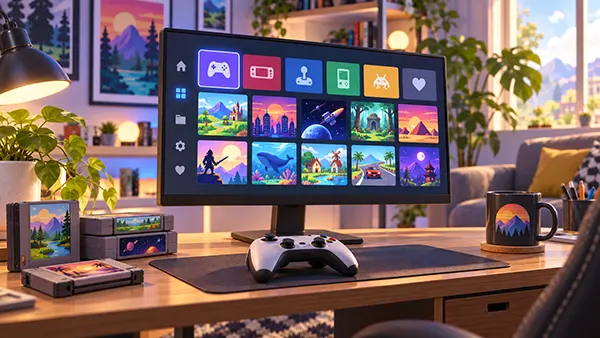
A functional launcher is only the first half of the job. ES-DE becomes much more useful once the raw filenames are replaced by a consistent set of game names, descriptions and artwork. Its built-in scraping tools can retrieve metadata and media from ScreenScraper and TheGamesDB. Depending on the source and the game, this can include box art, screenshots, release information, genres, descriptions and other details. For a large collection, it is sensible to scrape one or two systems first and check that regional names and artwork match the copies in the library. Correct filenames help matching, but the metadata editor can also be used when an unusual release is identified incorrectly or when a preferred title name needs to be adjusted manually.
Collections are where the unified layout starts to feel more useful than opening each emulator directly. ES-DE supports automatic and custom collections, so games do not have to remain trapped inside console-by-console lists. A user can keep the normal GameCube, PlayStation 2, Mega Drive and handheld sections while also creating a separate collection for racing games, local multiplayer, unfinished titles or personal favourites. Themes can change the presentation without changing the game files underneath, and the built-in theme downloader makes visual changes easier than rebuilding the library. The key is to keep the organisation meaningful; a smaller number of well-chosen collections is usually easier to navigate from a controller than dozens of narrowly defined categories.
The setup is also more pleasant when the controller experience is treated as part of the library rather than an afterthought. Configure navigation in ES-DE, then make sure each emulator recognises the same physical controller in a predictable way. Button prompts may differ between Nintendo, PlayStation and older systems, but the transition from the library to a game should not require a keyboard every time. Full-screen behaviour is worth checking in each emulator as well, especially on a Mac connected to a television. ES-DE can provide the common entrance and game selection screen, but the emulator still controls what happens after launch. A few minutes spent aligning controller and display behaviour across RetroArch, Dolphin and PCSX2 makes the whole arrangement feel much more coherent.
Maintenance, Compatibility and Legal Practicalities in 2026
A unified library still depends on several separately updated applications, so maintenance should be deliberate. In September 2026, ES-DE 3.4.1 remains the latest stable release, RetroArch lists 1.22.2 as its stable version, Dolphin has 2026 releases such as 2606a, and PCSX2 reached 2.8.0 in late August. There is no need to update everything on the same day. A safer routine is to update one component, launch a few representative games and only then move to the next application. This makes it much easier to identify the cause if controller behaviour, game launching or compatibility changes. Backing up emulator configuration folders and important save data before major changes is also more valuable than trying to reconstruct months of settings later.
Compatibility should remain part of the expectations. A modern Mac can handle many older systems extremely well, but a front end cannot make an emulator more accurate or a demanding game easier to run. Some titles need game-specific settings, some rely on features that an emulator has not perfectly reproduced, and later consoles naturally place more pressure on the CPU and graphics hardware. The sensible approach is to begin with default emulator settings, confirm normal performance and change options only when a real problem appears. This keeps the setup understandable. It also prevents old tweaks copied from outdated guides from becoming permanent settings long after the emulator itself has improved.
Finally, the tidy appearance of ES-DE should not blur the legal distinction between organising games and obtaining them. ES-DE is a front end, not a source of commercial ROMs or console firmware. Use game images created from software you are entitled to copy under the rules that apply where you live, and follow each emulator project’s requirements for original system files. PCSX2 is especially clear that a BIOS dumped from a legitimately owned PlayStation 2 is required. Once the library is built from properly obtained files, ES-DE can provide the part that macOS users often want most: one consistent game catalogue, one controller-friendly menu and a practical way to let RetroArch, Dolphin, PCSX2 and other emulators do their specialised jobs without making the user manage a different library every time.