
Dolphin on Mac in 2026: GameCube/Wii, Controllers, Metal/Vulkan and Stable Settings
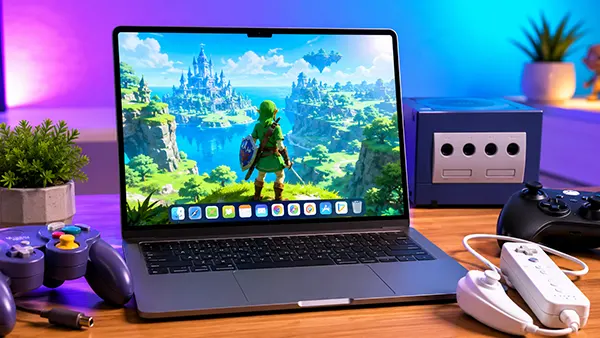
Running Nintendo GameCube and Wii games on macOS has become far more practical in 2026 than it was a few years ago. Dolphin now works reliably on Apple Silicon systems, supports modern rendering backends and offers stable frame pacing even on fanless MacBook Air models. With native ARM optimisation, improved Metal support and broader controller compatibility, Mac users can play titles such as Super Mario Galaxy, The Legend of Zelda: Twilight Princess and Metroid Prime without constant tweaking or compatibility workarounds. The key difference today is that most problems are no longer connected to raw performance. Instead, stability depends on correct graphics settings, shader compilation behaviour and proper controller configuration.
How Dolphin Performs on Modern Macs in 2026
Dolphin benefits heavily from Apple Silicon architecture. Macs equipped with M1, M2, M3 and M4 processors can emulate GameCube titles at full speed with minimal configuration. Even demanding Wii releases run smoothly at native resolution, while higher internal resolutions such as 1440p and 4K are possible on MacBook Pro and Mac Studio systems. The emulator now uses ARM-native execution by default, which removes the overhead that older Intel translation layers once introduced.
Metal has become the preferred graphics backend for most macOS users. Earlier Dolphin versions relied heavily on OpenGL, but Apple gradually reduced OpenGL support quality, causing graphical glitches and unstable frame timing. In 2026, Metal provides noticeably better shader compilation behaviour, reduced stuttering and improved compatibility with Apple GPU architecture. Vulkan support also exists through MoltenVK, but results vary depending on the specific game and macOS version.
Thermal management remains important on passively cooled devices. A MacBook Air can run GameCube games comfortably for extended sessions, but Wii titles with higher rendering resolutions may trigger thermal throttling during longer play periods. Users who want consistent frame pacing often reduce internal resolution slightly instead of pushing maximum graphical enhancements. This approach keeps temperatures under control without significantly reducing visual quality.
Recommended Mac Hardware and macOS Versions
The minimum practical configuration for Dolphin in 2026 is generally considered an M1 Mac with 16 GB of unified memory. While 8 GB systems can still run many games, shader caching and high-resolution textures consume memory quickly. Users planning to emulate Wii titles at higher resolutions benefit from additional RAM and stronger GPU performance found in M2 Pro, M3 Pro or M4 systems.
macOS Sonoma and newer releases currently provide the best balance between compatibility and driver stability. Earlier Ventura installations still work, but newer versions contain graphics and Metal improvements that reduce random rendering issues. Dolphin developers frequently optimise builds around the latest Apple graphics frameworks, so keeping macOS updated improves long-term stability.
Intel-based Macs remain supported, although performance differs significantly from Apple Silicon systems. Intel MacBook Pro models with dedicated AMD graphics can still handle many GameCube games effectively, but Wii emulation often requires lower internal resolutions and more conservative anti-aliasing settings. Older Intel MacBook Air models struggle with CPU-heavy titles due to thermal limitations and weaker integrated graphics.
Metal, Vulkan and Graphics Configuration for Stable Gameplay
Most macOS users achieve the best results with the Metal backend enabled. Metal reduces shader stutter during gameplay and improves responsiveness compared to older OpenGL implementations. Games with heavy post-processing effects, including Mario Kart Wii and Xenoblade Chronicles, generally maintain steadier frame rates under Metal. The backend also handles Apple Silicon GPU scheduling more efficiently than legacy alternatives.
Vulkan remains useful in certain scenarios, especially for advanced debugging or specific rendering behaviour. However, Vulkan on macOS still relies on translation layers because Apple does not provide native Vulkan support. As a result, some games display texture anomalies or inconsistent performance compared with Metal. For everyday gameplay, Metal remains the safer and more stable option for most users.
Shader compilation settings have become one of the most important optimisation areas. Hybrid Ubershaders reduce visual glitches and minimise frame drops during new effects loading. Many users previously disabled advanced shader systems to gain raw performance, but modern Apple Silicon processors handle these workloads efficiently. In 2026, balanced shader settings generally produce smoother gameplay than aggressive performance-focused configurations.
Best Dolphin Settings for Mac Stability
For stable operation, many users keep internal resolution between 2x and 3x native on MacBook Air systems. Higher values are possible, but sustained thermal load may eventually reduce performance consistency. MacBook Pro and desktop Macs can typically handle 4x native resolution without major problems. Anti-aliasing settings should remain moderate because excessive MSAA values create unnecessary GPU load in some Wii titles.
Dual-core mode remains enabled for most games because it improves CPU efficiency substantially. However, a small number of titles still behave incorrectly with dual-core emulation active. If random crashes, audio desynchronisation or cutscene freezing occurs, disabling dual-core mode often resolves the issue immediately. Dolphin’s compatibility database continues to provide updated recommendations for problematic games.
Audio latency settings also affect gameplay smoothness. Extremely low latency values may cause crackling or inconsistent timing during demanding scenes. A moderate buffer size usually creates the best balance between responsiveness and stability. This becomes especially important when using Bluetooth headphones or wireless controllers, where additional latency already exists at the hardware level.
Controllers, Wii Remotes and macOS Compatibility
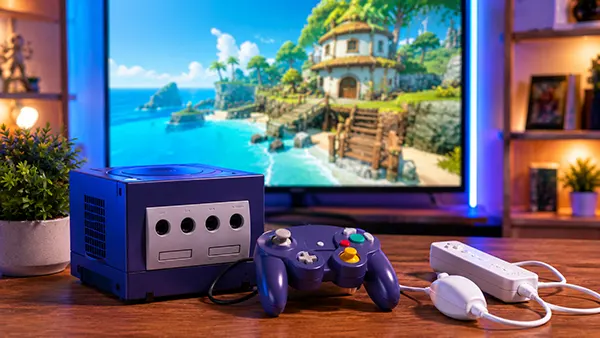
Controller support on macOS has improved significantly by 2026. Xbox Wireless Controllers, DualSense gamepads and Nintendo Switch Pro Controllers all work reliably with Dolphin through native macOS APIs. Bluetooth pairing is far more stable than in earlier macOS generations, and modern Dolphin builds automatically recognise most devices without manual driver installation.
DualSense controllers are especially popular among Mac users because of their responsive analogue sticks and dependable Bluetooth behaviour. Dolphin allows detailed button mapping profiles, making it possible to create separate layouts for GameCube and Wii titles. Motion controls can also be emulated through gyroscope-enabled controllers, which is useful for Wii games that rely on pointer input.
Original Wii Remotes remain supported through Bluetooth passthrough. Apple Silicon Macs handle Wii Remote connectivity more reliably than many older Intel systems, although setup quality still depends on Bluetooth chipset compatibility. Sensor bars continue to function through standard USB-powered infrared bars, and many players now use wireless rechargeable alternatives designed specifically for emulator setups.
Practical Controller Setup Tips for Dolphin on Mac
Users should avoid connecting too many Bluetooth accessories simultaneously during gameplay. Wireless headphones, keyboards and multiple controllers can sometimes create input instability or delayed pairing. If controller lag appears, reducing the number of active Bluetooth devices often improves responsiveness immediately.
For competitive or precision-focused games such as Super Smash Bros. Melee, wired GameCube adapters remain the preferred option. Official Nintendo adapters and reputable third-party USB adapters provide lower input latency than Bluetooth controllers. Dolphin supports native adapter mode on macOS, allowing authentic GameCube controller behaviour without manual remapping.
Saving controller profiles inside Dolphin is highly recommended because different games use very different control schemes. Wii platformers, racing games and motion-based titles frequently require separate layouts. Creating dedicated profiles prevents repetitive configuration changes and reduces the chance of incorrect mappings causing gameplay issues later.