
Optimisation and Tuning of Emulation on Apple Silicon Macs
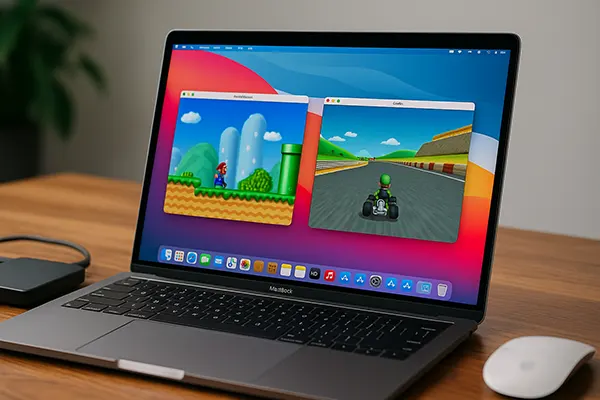
Apple Silicon has changed the technical foundations of macOS, and emulation is one of the areas where these changes are felt most clearly. Emulators that previously relied on x86 assumptions now operate in a heterogeneous ARM-based environment with unified memory and tightly integrated graphics. As a result, performance, latency and stability depend far more on correct tuning than on raw hardware power. This article focuses on practical optimisation of emulation on Macs with M-series chips, taking into account real differences between generations and macOS behaviour as of 2025.
How Apple Silicon Generations Affect Emulator Behaviour
The M1 family introduced the baseline for modern emulation on macOS. Its CPU cores offer strong single-threaded performance, which benefits older console and computer emulators that rely on one main execution thread. However, limitations in GPU flexibility and lower memory bandwidth compared to later chips mean that some modern emulators require careful configuration to avoid frame pacing issues.
M2 chips improve memory bandwidth and GPU throughput, which has a noticeable effect on emulators that rely on shader-heavy rendering, such as PlayStation 2, GameCube and Wii emulation. These improvements reduce microstutter when upscaling resolution or enabling post-processing effects. CPU-side gains are modest, but the overall balance is better for sustained workloads.
M3 and later generations introduce architectural changes to both CPU and GPU that affect emulation timing. Hardware-accelerated ray tracing is largely irrelevant for emulation, but improved instruction dispatch and cache behaviour reduce translation overhead in dynamic recompilers. This results in lower input latency and more consistent frame times, especially in demanding scenes.
Choosing Emulator Builds for Each Chip
Native ARM64 builds should always be prioritised on Apple Silicon, regardless of chip generation. Rosetta-based execution introduces unnecessary overhead and can interfere with precise timing, which is critical for cycle-accurate emulation. Many popular emulators now provide stable ARM builds that fully exploit Apple Silicon features.
For M1 systems, lightweight renderers and conservative CPU settings tend to produce the best results. Disabling experimental GPU paths often improves stability. On M2 and M3 systems, more aggressive settings such as higher internal resolution or enhanced texture filtering can be enabled without compromising frame pacing.
It is also important to match emulator versions to macOS releases. Newer macOS updates sometimes modify Metal behaviour or memory management, which can affect older emulator builds. Using actively maintained versions reduces the risk of regressions.
Memory, GPU and System-Level Optimisation
Unified memory is one of the defining characteristics of Apple Silicon. Unlike discrete GPU systems, CPU and GPU share the same memory pool, which makes allocation strategies particularly important. Overcommitting memory can lead to sudden performance drops when macOS starts compressing memory under load.
For emulation, allocating moderate but sufficient RAM to the emulator process is more effective than maximising it. Most emulators perform best when left to manage memory dynamically rather than being forced into large static allocations. This approach reduces pressure on the system and keeps background processes responsive.
GPU settings should be adjusted with Metal in mind. Apple’s graphics stack favours fewer state changes and larger batches. Emulators that offer Metal-specific options, such as asynchronous shader compilation or pipeline caching, should have these features enabled to minimise runtime stutter.
Managing Caches and macOS Behaviour
Shader and pipeline caches play a critical role in perceived performance. Allowing emulators to persist these caches between sessions significantly reduces stutter during repeated gameplay. Clearing caches should only be done for troubleshooting, as rebuilding them incurs a noticeable cost.
macOS power management can also influence emulation quality. On portable Macs, running on battery may reduce sustained CPU and GPU frequencies. For consistent results, emulation sessions should be performed while connected to power, with Low Power Mode disabled.
Background system services can introduce latency spikes, particularly during Spotlight indexing or Time Machine backups. Scheduling emulation sessions outside of these activities helps maintain stable frame timing, especially on systems with lower core counts.
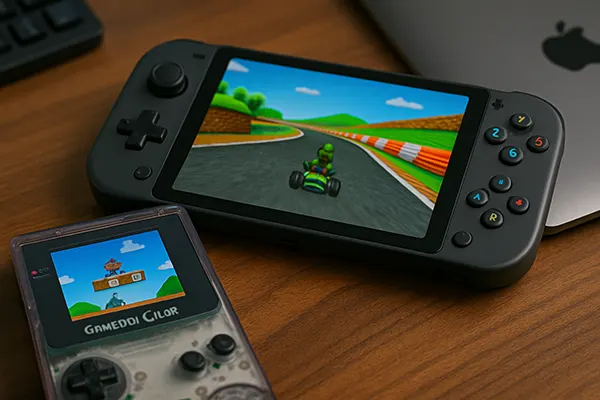
Real-World Performance Examples with Popular Emulators
In practice, differences between M-series chips become clear when running demanding emulators. For example, PlayStation 2 emulation shows near-perfect performance on M2 and M3 systems at native resolution, while M1 systems may require reduced upscaling to maintain full speed in complex scenes.
GameCube and Wii emulation benefits greatly from improved GPU throughput. M2 and newer chips handle higher internal resolutions and enhanced anisotropic filtering without significant penalties. On M1, careful balance between resolution and effects is required.
Older systems such as NES, SNES or classic computers run effortlessly on all Apple Silicon chips, but even here optimisation matters. Accurate timing modes can increase CPU load, and disabling unnecessary enhancements ensures minimal input latency.
Latency and Frame Pacing in Practice
Input latency is influenced by both emulator configuration and macOS compositing. Using exclusive fullscreen modes where available reduces compositor overhead. Some emulators also offer frame pacing options that better align with macOS display refresh rates.
Audio buffering should be kept as low as possible without introducing crackling. Smaller buffers reduce perceived latency but require stable CPU performance. Apple Silicon generally handles low-latency audio well when system load is controlled.
Ultimately, optimal settings depend on the specific emulator and chip combination. Testing changes incrementally and observing frame time consistency provides more reliable results than relying on average frame rate alone.