
BlueStacks Air in 2026: Can You Run Android Online Casino Apps on an Apple Silicon Mac?
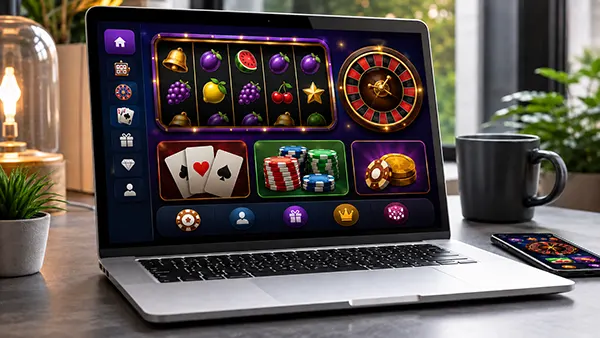
BlueStacks Air lets Apple Silicon Mac owners run many Android apps in macOS, which is useful when a casino offers an Android application but no Mac version. In 2026, however, successful installation does not mean every gambling app will accept an emulated device.
Using Android Online Casino Apps on a Mac
For casino users, the first question is whether an Android app is needed at all. Many operators already provide browser access in Safari or Chrome, while an emulator is mainly useful when someone specifically prefers the Android application or needs a feature available there.
This is where NolimitWay fits into the comparison. It is an online casino website that can be opened directly on a Mac, showing the simpler browser route. If a casino already works well on the web, BlueStacks Air becomes an optional way to try Android software rather than a requirement.
When an operator offers an Android app, BlueStacks Air can provide a phone-style environment on a larger screen with keyboard, mouse and trackpad input. The result still depends on the app: some casino software may work normally, while other apps can restrict key account functions.
Why Casino Apps May Reject an Emulator
Real-money gambling apps commonly apply more controls than ordinary mobile games. They may check the device, account status, age and current location before allowing access. Google Play rules also require approved gambling apps to block minors and users outside licensed areas.
Device-integrity checks can create another barrier. Google’s Play Integrity documentation says an emulator may fail the standard integrity verdict when it is not recognised as a genuine certified Android device. An app may therefore install in BlueStacks Air but refuse some functions after launch.
Location checks matter for the same reason. Casino operators must follow the rules of the jurisdictions where they are authorised to offer real-money gambling, and emulation does not remove those limits. If an app rejects the device or region, an officially supported access method is the better option.

How BlueStacks Air Works on Apple Silicon
BlueStacks Air is built for Apple Silicon and supports Macs with M1, M2, M3 and M4 chips. Official requirements list macOS 11 or later, at least 8 GB of RAM and 12 GB of free storage, while 16 GB of RAM is recommended for smoother use with demanding Android apps.
The software creates an Android environment inside macOS rather than turning an Android app into a native Mac program. This allows supported titles to run with desktop controls, but compatibility remains app-specific. BlueStacks also continues to update Air with releases published in 2026.
For a safer setup, BlueStacks Air should come from the official BlueStacks website, while a casino app should come from Google Play or the operator’s own verified download page where legally available. Unofficial APK archives add unnecessary risk for software handling personal and payment data.
When Browser Access Is the Better Choice
A browser is often easier when the same casino account, games and payments are already available on the web. It removes the extra Android layer and avoids many emulator-specific compatibility issues, making everyday access more predictable on an Apple Silicon Mac.
If BlueStacks Air is used, test more than the opening screen before relying on it. Login, location permission, identity verification, game loading and account settings should all behave normally. An app that starts but fails these checks cannot be considered fully compatible.
In 2026, BlueStacks Air is a practical option for Android software on supported Apple Silicon Macs, but casino apps remain a special case because security and regional controls can block emulated devices. Use it only where the operator permits it and official access rules are met.