
Emulating Next-Generation Handheld Consoles (Steam Deck-Class) on Mac Systems
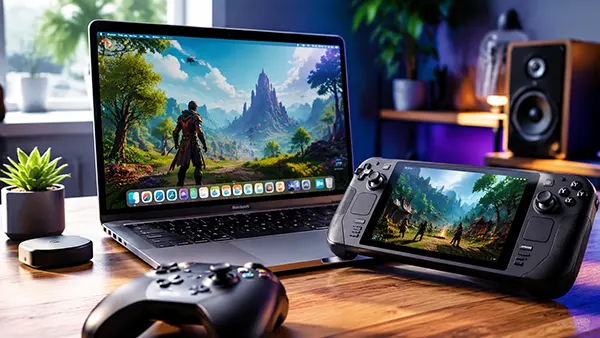
Modern handheld gaming has moved far beyond traditional portable consoles, with Steam Deck-class devices now offering near-desktop performance in a compact form. On macOS, interest in running and emulating these systems has grown steadily, driven by improved Apple Silicon performance and more accessible compatibility layers. This article explains how emulation works in this context, what users can realistically expect in 2026, and which approaches are commonly used on Mac devices.
Understanding Steam Deck-Class Emulation on macOS
Steam Deck-class devices are not traditional consoles but compact PCs running a Linux-based environment. Because of this architecture, emulation on Mac is less about replicating a closed system and more about recreating a PC-like gaming environment. This makes macOS a surprisingly suitable candidate for compatibility tools and emulation layers.
On Apple Silicon Macs, performance has improved significantly in recent years. The combination of efficient CPUs and strong integrated GPUs allows many modern games to run through translation layers. However, results vary depending on the game engine, graphics API, and optimization level.
Instead of relying on a single emulator, users typically combine several tools. These may include compatibility layers for Windows games, Linux translation environments, and device-specific emulation frameworks. Each layer plays a role in bridging the gap between the original Steam Deck environment and macOS.
Core technical foundations
The key to successful emulation lies in instruction translation. Since Steam Deck-class systems are x86-based while Apple Silicon uses ARM architecture, binary translation is required. This process converts instructions in real time, allowing software designed for one architecture to function on another.
Graphics translation is another important layer. Many games rely on DirectX, while macOS uses Metal. Modern compatibility tools convert these calls dynamically, but performance depends heavily on how efficiently this translation is handled.
Memory handling and system calls also need adaptation. Emulation environments replicate parts of a Linux-based system to ensure games can access expected resources. This is why some titles run smoothly while others require extensive configuration.
Tools and Approaches Used on Mac in 2026
By 2026, macOS users benefit from a more mature ecosystem of gaming compatibility tools. While there is no single dedicated Steam Deck emulator, a combination of software solutions achieves similar results for many games and applications.
One common approach is using Windows compatibility layers that translate DirectX calls into Apple’s graphics framework. These tools allow a large portion of PC games to run without requiring full virtualisation, improving performance and reducing system overhead.
Another method involves containerised Linux environments. Since Steam Deck systems are Linux-based, replicating this environment on macOS can improve compatibility for certain titles, especially those built with native Linux support in mind.
Practical setup considerations
Users often need to balance performance and stability. While higher compatibility layers increase the range of playable games, they can also introduce overhead. Choosing the right configuration depends on hardware generation, especially whether the Mac uses M1, M2, or newer chips.
Storage speed also plays a role. Many modern games require fast asset streaming, and SSD performance directly affects loading times and texture streaming stability. External drives are possible but may introduce delays in heavier titles.
Controller support is generally strong across macOS, but some Steam Deck-specific control schemes require remapping. This is usually handled through middleware tools that translate input layouts into standard controller profiles.
Performance Expectations and Limitations
While Mac hardware has become significantly more powerful, Steam Deck-class emulation is still not perfect. Performance varies widely depending on the game engine and optimisation level. Lightweight and well-optimised titles tend to run smoothly, while demanding AAA games may require reduced settings.
Thermal management on Mac laptops can also influence performance. Sustained gaming sessions may lead to throttling if the system reaches temperature limits. Desktop Macs typically handle longer workloads more consistently.
Another limitation is anti-cheat software. Some modern multiplayer titles include protection systems that are not compatible with translation layers. In such cases, native Windows or Linux environments remain necessary.
Real-world usage scenarios
Many users rely on Mac-based emulation for single-player experiences or older Steam catalog titles. These scenarios are generally more stable and require fewer adjustments compared to competitive online games.
Indie games and cross-platform releases often perform best. Developers increasingly design with compatibility in mind, which reduces reliance on platform-specific features and improves emulation success rates.
For enthusiasts, Mac systems offer a flexible testing environment. Users can experiment with different compatibility layers and configurations to find the best balance between visual quality and frame rate.
Future Outlook for Mac Gaming Emulation
The gap between traditional gaming systems and macOS continues to narrow. With Apple Silicon improving year by year and developers optimising cross-platform tools, emulation of Steam Deck-class environments is expected to become more efficient and accessible.
Industry trends also suggest greater adoption of unified graphics APIs, which reduces the complexity of translation layers. This shift benefits Mac users directly, as fewer conversions are required between rendering systems.
At the same time, cloud gaming and hybrid streaming solutions are becoming more common. These approaches may eventually complement or even replace local emulation for high-demand titles.
Long-term development trends
Future macOS updates are likely to include deeper support for gaming workloads, especially as Apple continues to invest in gaming-focused APIs and developer tools. This could reduce reliance on external compatibility layers.
Hardware improvements will also play a role. More GPU cores, higher memory bandwidth, and improved thermal design will expand the range of playable titles without heavy optimisation.
Overall, Steam Deck-class emulation on Mac is moving from a niche experiment to a more practical solution for everyday gaming needs, especially for users who prefer the macOS ecosystem.