
RetroAchievements on Mac in 2026: Compatible Emulators and Setup Without Errors
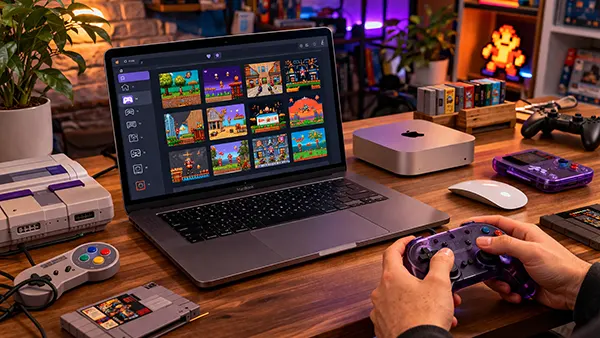
RetroAchievements has become one of the most engaging ways to revisit classic games, adding structured goals and progression to titles that originally had none. By 2026, Mac users are no longer limited by compatibility issues, but the setup still requires precision. This guide explains which emulators genuinely support RetroAchievements on macOS, how to configure them correctly, and what mistakes to avoid to ensure achievements unlock reliably.
Which Mac Emulators Actually Support RetroAchievements in 2026
Not every emulator that runs on macOS supports RetroAchievements, and many guides still reference outdated builds. As of 2026, the most stable and actively maintained option is RetroArch, which includes built-in RetroAchievements support across multiple cores. It works consistently on both Intel and Apple Silicon Macs, provided the correct cores are selected.
Standalone emulators with RetroAchievements integration are more limited. DuckStation (for PlayStation 1) and PCSX2 (for PlayStation 2) now offer macOS versions with partial or full support, but only specific builds include the achievement API. Using unofficial or outdated versions often results in achievements not syncing or not appearing at all.
It is also worth noting that some popular Mac emulators such as OpenEmu still do not support RetroAchievements. While OpenEmu is user-friendly, it lacks direct integration, making it unsuitable if achievements are your priority. Choosing the right emulator from the start saves time and avoids configuration conflicts later.
Core Compatibility and System Limitations
RetroArch relies on cores, and not all cores support achievements even if the system itself does. For example, for NES or SNES, you must use cores like FCEUmm or Snes9x (current builds), as older or alternative cores may not trigger achievements correctly.
Apple Silicon compatibility has improved significantly by 2026, but some cores still run through translation layers. This can introduce minor inconsistencies, especially in timing-sensitive games. Ensuring you use native ARM builds where available reduces the risk of desynchronisation.
Another key limitation is that achievements only work with unmodified ROMs. Hacks, translations, or patched versions typically disable achievement tracking. Always verify ROM integrity before assuming the emulator is misconfigured.
How to Set Up RetroAchievements on macOS Step by Step
The setup process begins with creating a RetroAchievements account and linking it inside your emulator. In RetroArch, this is done through the Achievements menu, where you enter your username and password. Once logged in, the system will automatically detect compatible games.
Next, you must enable Hardcore Mode if you want achievements to count fully. This disables save states and certain emulator features, aligning gameplay with original hardware conditions. While optional, many achievement sets require Hardcore Mode for full completion.
After configuration, loading a supported ROM should display a login confirmation and game identification message. If this does not appear, it usually indicates a mismatch between the ROM and the database, rather than a technical failure.
Correct Configuration Settings That Matter
Within RetroArch, several settings directly affect achievement tracking. The most important are enabling achievements globally, activating Hardcore Mode if needed, and ensuring “Unofficial Achievements” is disabled unless you are intentionally testing.
Network stability also plays a role. Achievements require a constant connection to validate progress. If your Mac switches networks or enters sleep mode, you may lose progress tracking without noticing it.
Save file management is another overlooked factor. Using external save files or transferring saves between devices can break achievement logic. It is safer to start fresh within the configured emulator to ensure accurate tracking.
Common Errors and How to Avoid Them
The most frequent issue is using incorrect ROM versions. Even minor differences, such as regional variants or header changes, can prevent achievements from activating. Always use verified dumps that match the RetroAchievements database.
Another common mistake is enabling cheats or emulator enhancements. Features like rewind, fast-forward abuse, or memory editing can disable achievements entirely, especially in Hardcore Mode. Keeping settings clean is essential.
Users also often overlook emulator updates. RetroAchievements support evolves quickly, and outdated builds may contain bugs that have already been fixed. Regular updates ensure compatibility with the latest achievement sets and server-side changes.
Advanced Troubleshooting Tips
If achievements are not triggering, start by checking the game hash within RetroArch. This confirms whether the ROM matches the expected version. If it does not, replacing the ROM usually resolves the issue immediately.
Log files can provide additional insight. RetroArch generates logs that show authentication status and achievement detection. Reviewing these logs helps identify whether the issue is related to login, network, or ROM mismatch.
Finally, community forums and official documentation remain valuable resources. The RetroAchievements ecosystem is actively maintained, and many issues are documented with precise solutions. Referring to up-to-date sources helps avoid outdated advice and unnecessary troubleshooting.